Stream Integration Pro

Cloudflare Stream for WordPress, without the messy workflow

Upload, sync, restore, and manage WordPress videos with Cloudflare Stream from the Media Library you already use.

Video Infrastructure for WordPress, Powered by Cloudflare Stream
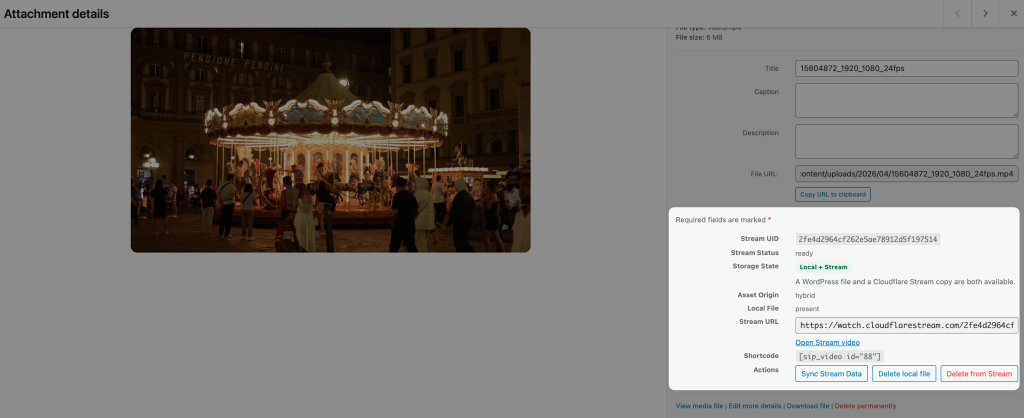
Upload, manage, and deliver videos directly from your dashboard with a seamless Cloudflare Stream integration
Media Library integration

Upload to Stream, restore local copies, sync metadata, and manage storage state directly from the WordPress Media Library.
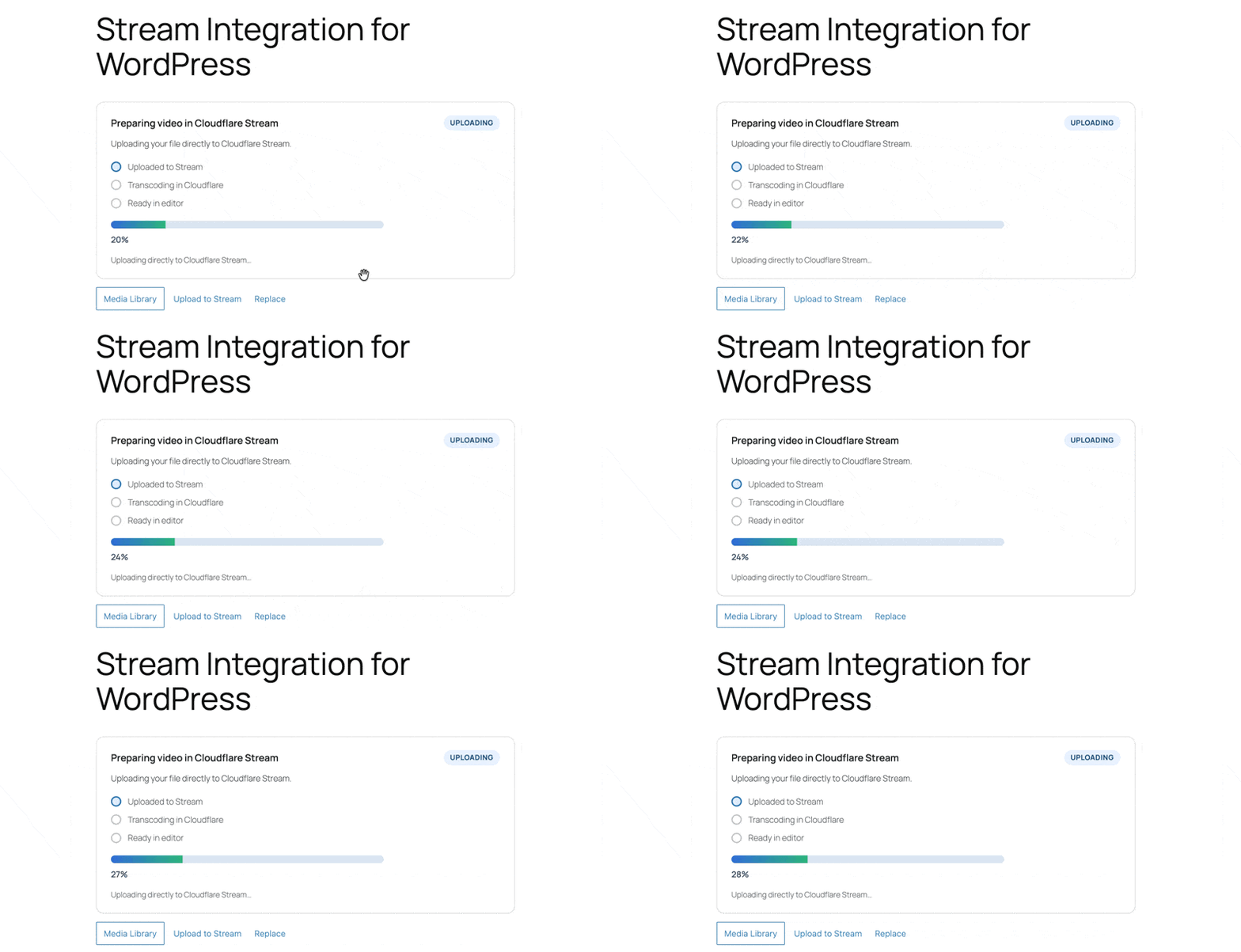
Direct Uploads to Cloudflare Stream

Send videos to Cloudflare Stream without leaving the WordPress workflow you already use.
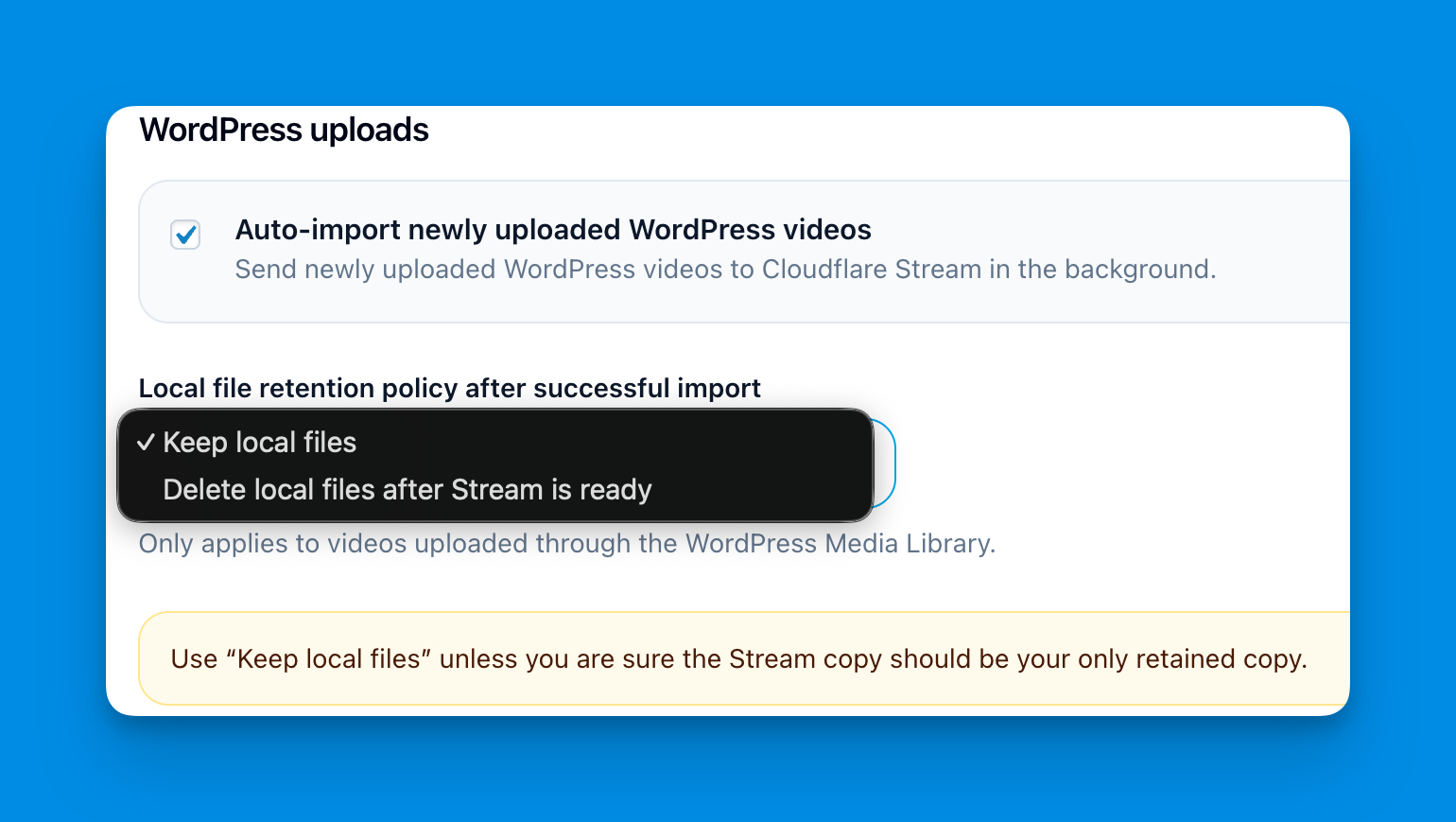
Hybrid Local + Stream Storage

Keep videos in WordPress, in Cloudflare Stream, or in both at the same time depending on your needs.
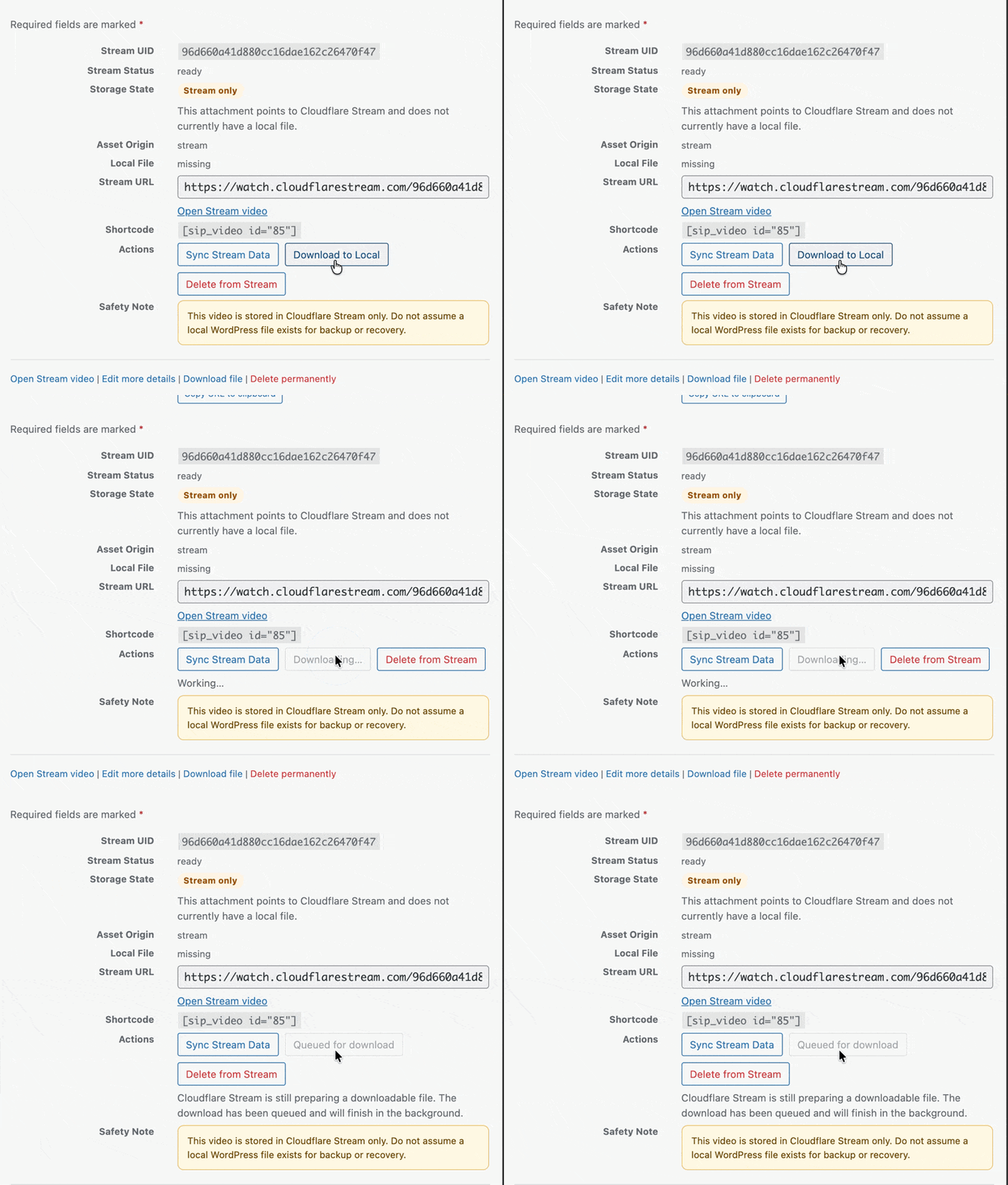
Restore Missing Local Files

Recreate a local WordPress copy from Cloudflare Stream when a file has been removed or is no longer available.
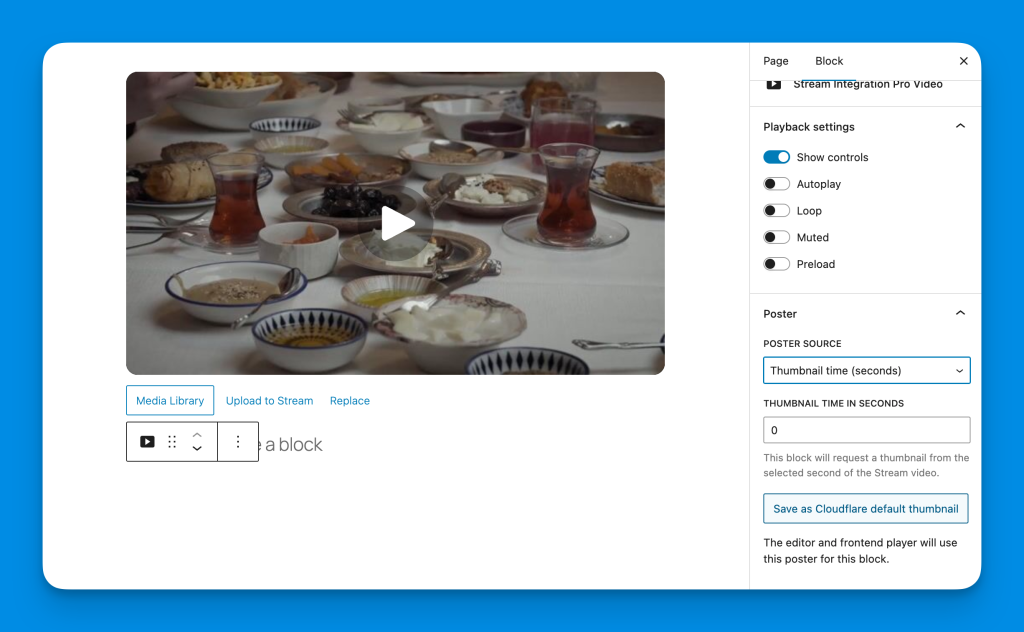
Stream-First Playback

Use Cloudflare Stream for delivery and playback while continuing to manage content from WordPress.
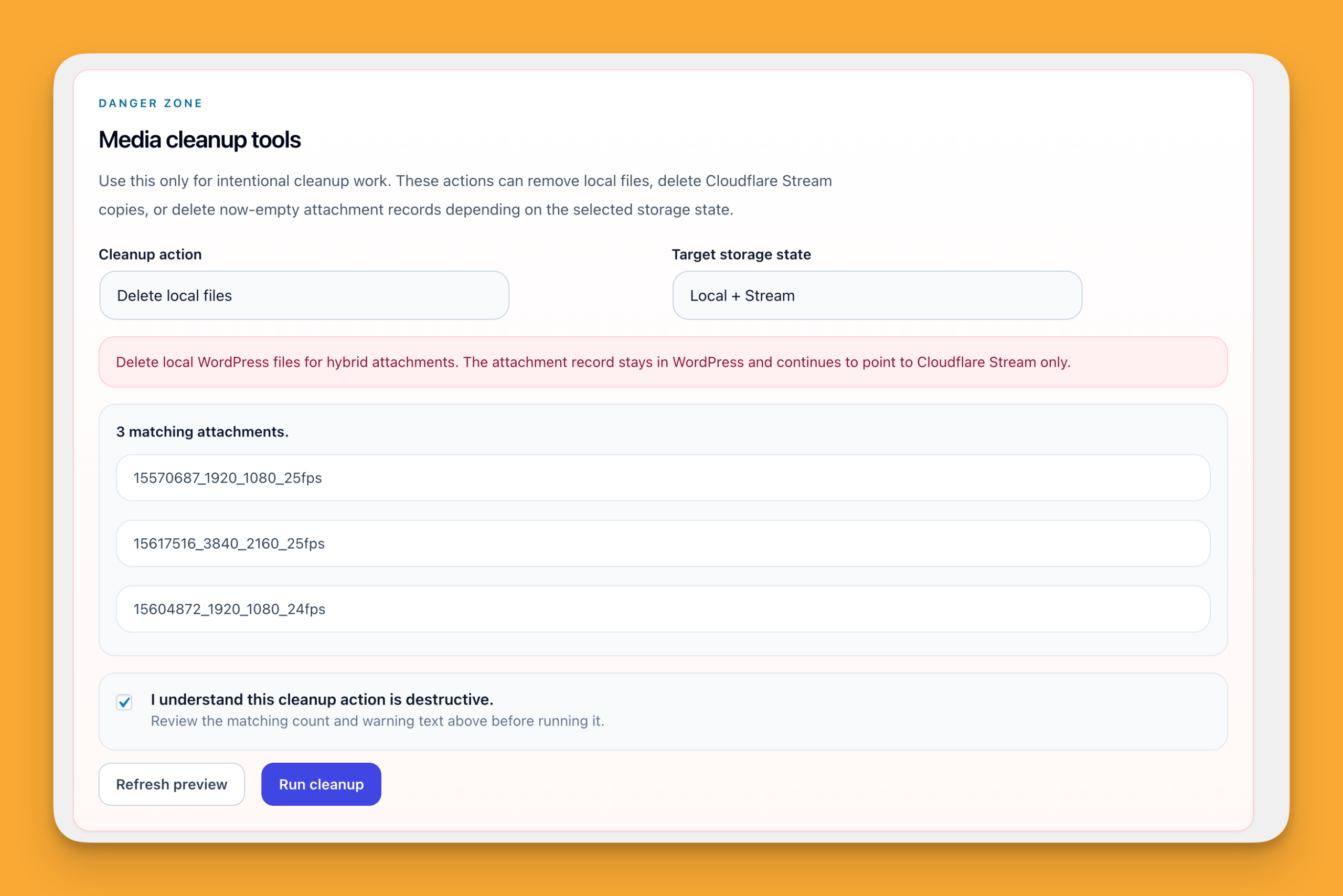
Safe Cleanup Tools

Delete local files or Stream copies with clear warnings, preview counts, and predictable outcomes.
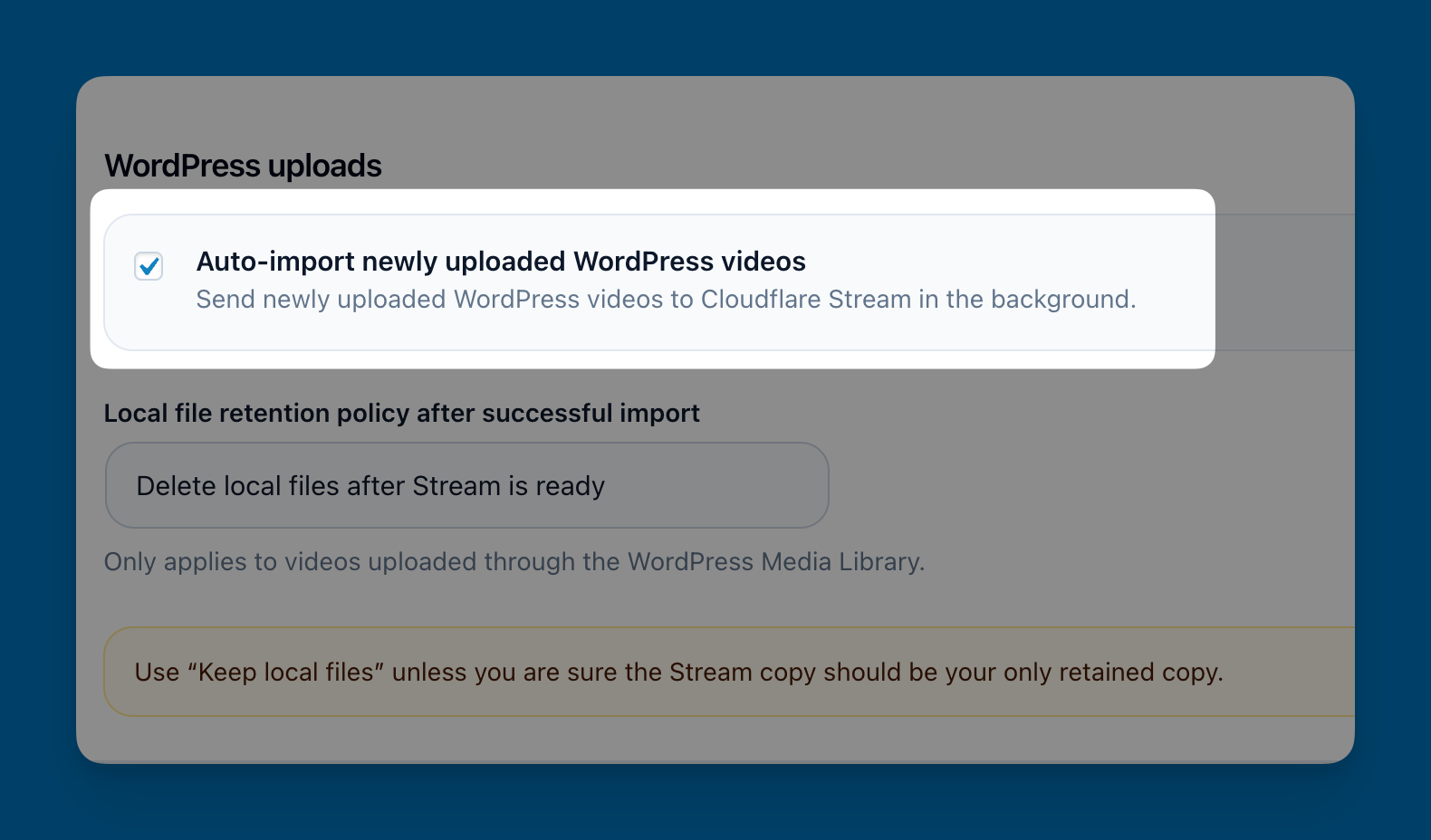
Automatic Video Sync

Automatically send newly uploaded WordPress videos to Cloudflare Stream and keep video metadata in sync.
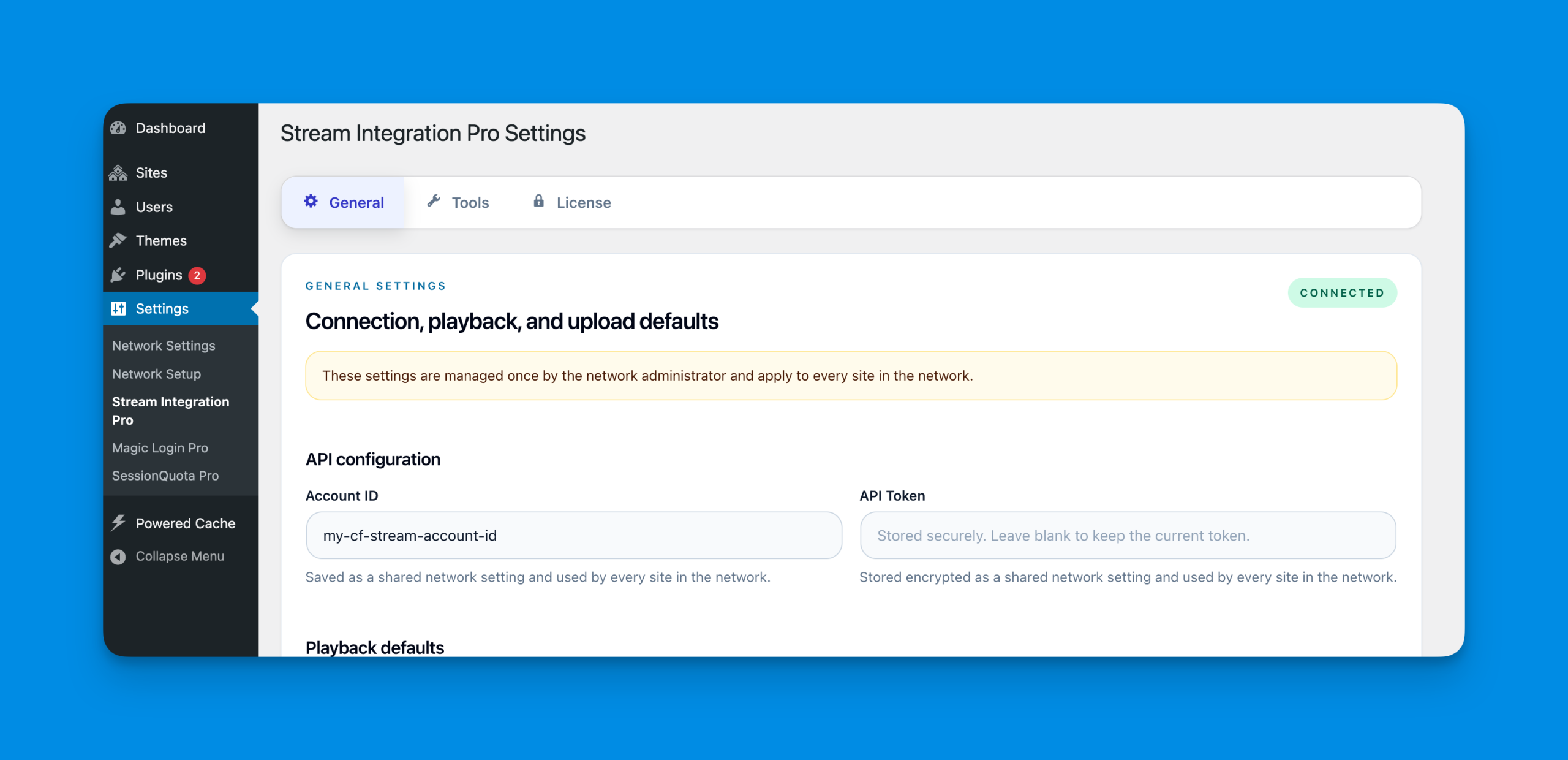
Multisite Support

Manage shared credentials and licensing at the network level while each site keeps its own media workflows.
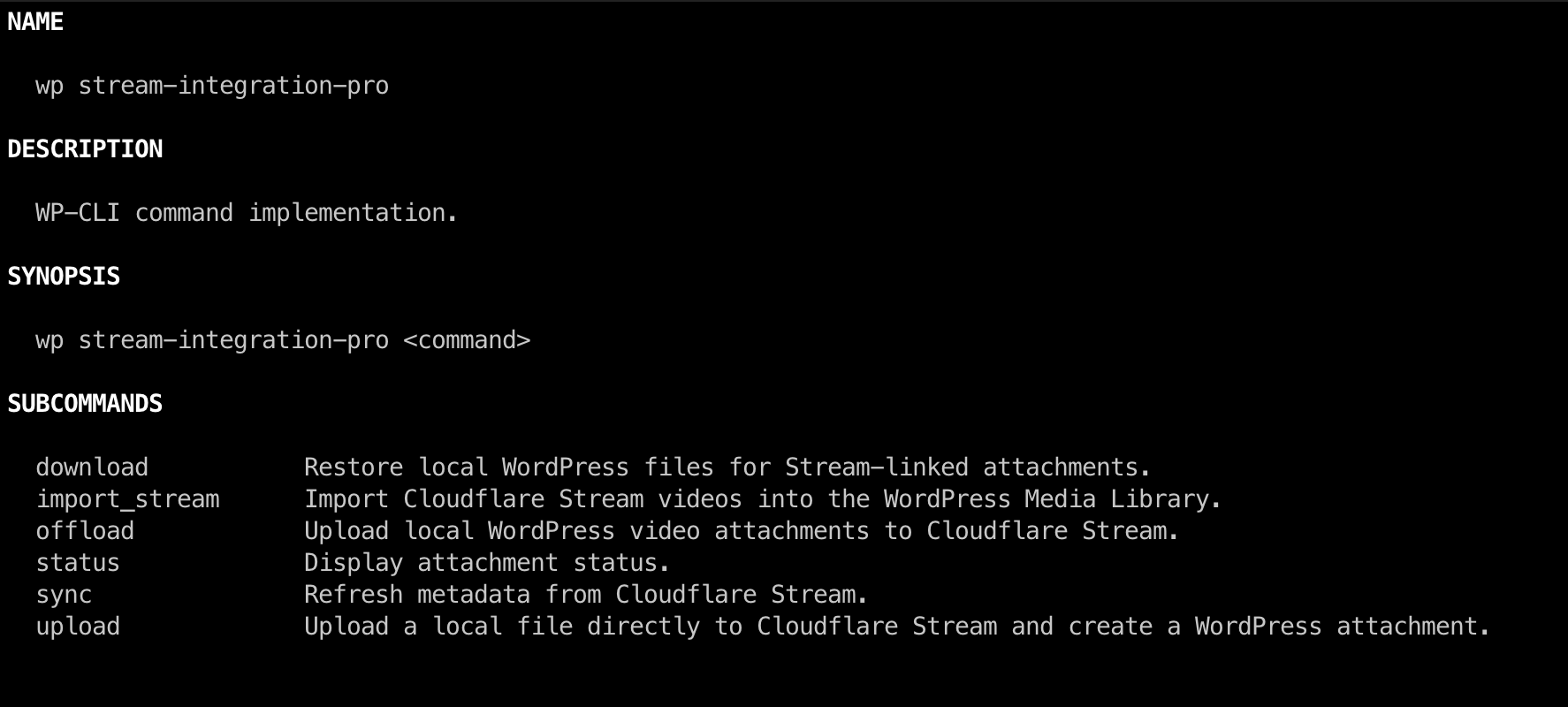
WP-CLI Support

Handle imports, uploads, downloads, sync tasks, and bulk operations from the command line.

Choose Your Plan

Single Site
$49
  • Use on 1 website
  • All Pro features
  • 1 year updates & support
Unlimited Sites
$99
  • Unlimited Site License
  • All Pro features
  • 1 year updates & support

100% Money Back Guarantee

We’ve got your back. Your purchase is covered by our no-risk 14-day money-back guarantee. If for any reason you’re not completely satisfied with the plugin, you’re entitled to a full refund up to 14 days from your original purchase.

Founder & Developer

Stream Integration Pro FAQ

No. You can upload videos directly from the WordPress Media Library and let Stream Integration Pro send them to Cloudflare Stream for you. If you already have videos in Cloudflare Stream, you can also import them into WordPress later.

Yes. You can use a hybrid setup where the WordPress file and the Cloudflare Stream copy both exist at the same time. This is useful if you want the safety of a local file while still delivering video through Stream.

Yes. Once a video has been uploaded to Cloudflare Stream, you can delete the local file and keep the attachment connected to Stream only. This helps reduce disk usage while keeping the video manageable from WordPress.

If the video is still available in Cloudflare Stream, you can restore a local copy back into WordPress. The plugin is designed to make that recovery workflow straightforward instead of forcing you to recreate the media item manually.

No. The plugin is designed to keep everything tied to a single attachment whenever possible. Uploading to Stream, restoring a local copy, or syncing metadata should not create unnecessary duplicate media entries.

Yes. That is one of the main goals of the plugin. You can manage upload, sync, restore, cleanup, and Stream-related actions directly from the Media Library and attachment details screens.

Yes. You can use the plugin inside the Block Editor and keep a Stream-based video workflow without leaving the normal WordPress editing experience.

Yes. The plugin supports classic WordPress workflows as well, including shortcode-based embedding where needed.

Yes. Videos that already exist in Cloudflare Stream can be imported into WordPress so they become manageable from the Media Library. You can also use WP-CLI for import and sync workflows.

Yes. WP-CLI commands are available for import, upload, offload, download, sync, and status workflows. This is useful for bulk operations, automation, and power-user workflows.

Yes. The plugin supports Multisite. In network-activated setups, the network administrator can manage credentials, licensing, and shared defaults, while individual sites continue using Stream features inside their own Media Library workflows.

Yes. The plugin includes cleanup tools for intentional bulk operations. These tools are designed for controlled cleanup workflows and make it clear what will be removed before you run the action.

The plugin will continue to work on your site, but you will no longer receive new updates or support until the license is renewed.

Make WordPress video management feel native again!

Use Cloudflare Stream without leaving the workflows your team already knows.

Trademark Notice
Cloudflare and the Cloudflare logo are trademarks and/or registered trademarks of Cloudflare, Inc. in the United States and other jurisdictions. Cloudflare Stream is a product of Cloudflare, Inc.

Stream Integration Pro is an independent WordPress plugin and is not affiliated with, endorsed by, or sponsored by Cloudflare, Inc.