Easy Text-to-Speech Pro 2.4 is here, introducing seamless Deepgram Integration for WordPress.
If you’ve been looking for a simple way to use Deepgram Text-to-Speech in WordPress, this release removes the complexity and delivers a clean, native integration directly inside your dashboard.
Add Deepgram to WordPress in Minutes
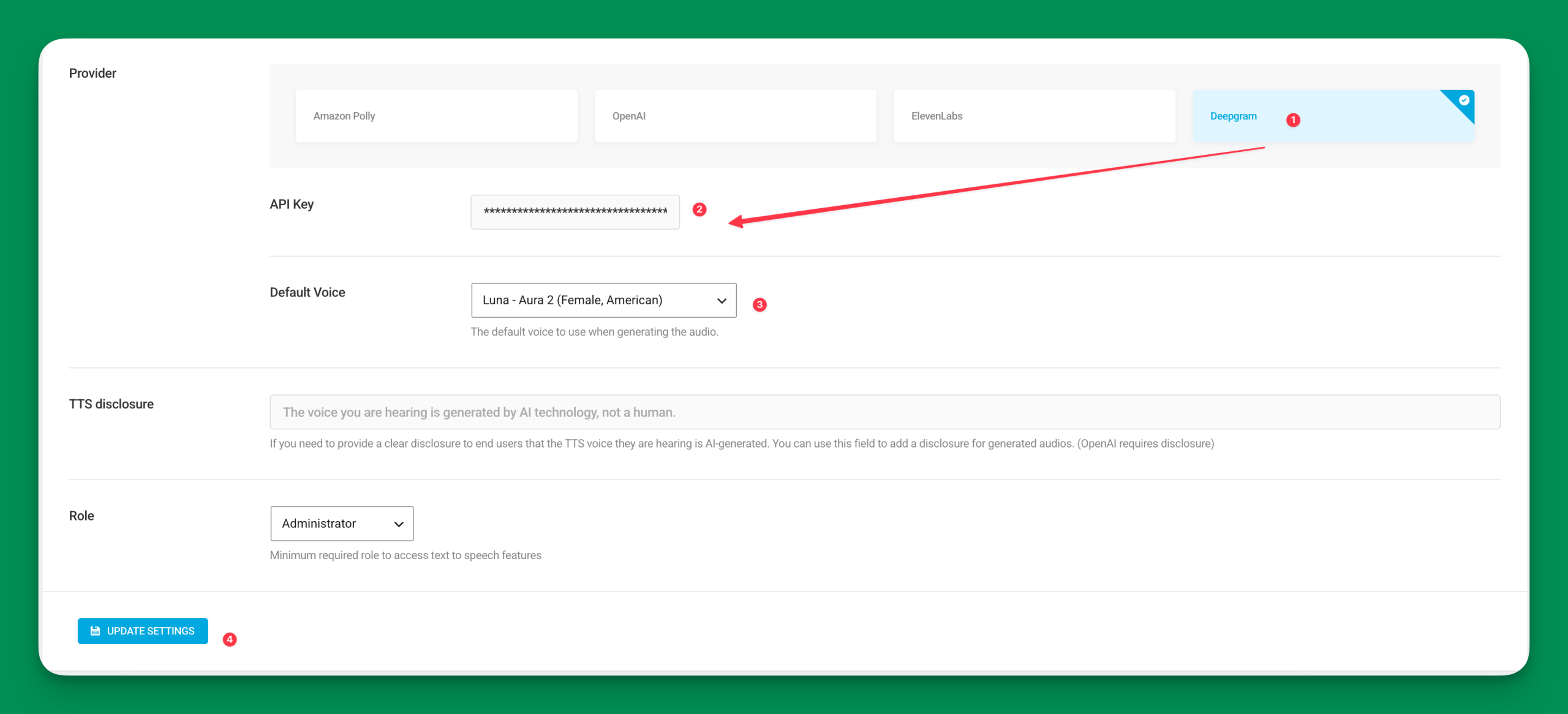
With version 2.4, Deepgram is now available as a built-in Text-to-Speech provider.
Getting started is simple:
- Update to Easy Text-to-Speech Pro 2.4
- Enter your Deepgram API key
- Select Deepgram as your TTS provider
- Start generating AI voice instantly
That’s it.
This update turns Deepgram WordPress integration into a plug-and-play experience.
Why Use Deepgram for WordPress Text-to-Speech?
Deepgram is known for delivering high-quality, natural-sounding AI voice output.
By enabling Deepgram inside WordPress, you unlock:
- More natural and expressive speech
- Improved clarity and pronunciation
- Fast and reliable API performance
- Greater flexibility in your AI voice stack
If audio quality matters to your content strategy, Deepgram brings a noticeable upgrade to your WordPress text-to-speech experience.
More Than Just a New Provider
This release isn’t just about adding Deepgram.
It’s about making AI-powered voice in WordPress more accessible, more flexible, and more scalable.
You now have:
- Greater control over your voice provider
- The ability to optimize for quality or performance
- A future-ready WordPress AI audio stack
Also Included in Version 2.4
- Routine dependency updates
- Internal optimizations
- Stability improvements
Ready to Use Deepgram in WordPress?
If you’ve been searching for a reliable way to integrate Deepgram with WordPress, Easy Text-to-Speech Pro 2.4 makes it effortless.
Update today and unlock a new level of AI voice capabilities for your WordPress site.