Short links are everywhere: in social posts, newsletters, podcasts, printed flyers and affiliate content. Most people create them with a third-party service, which means the link lives on someone else’s domain, the click data lives on someone else’s servers, and custom domains usually come with a monthly bill.
There is a simpler way. With a WordPress URL shortener, your short links live on your own site, like yoursite.com/promo. In this guide, you’ll learn why branded short links are worth it and how to create your first one in a couple of minutes with Clicklet URL Shortener, our free plugin.
Why use your own domain for short links?
A generic short link tells people nothing about where it goes. A link like yoursite.com/webinar does. Branded short links:
- Earn more trust. People can see whose link it is before they click, so they are more likely to click it.
- Build your brand. Every shared link repeats your domain name.
- Stay yours. If a shortening service changes its pricing, limits your plan or shuts down, links you printed or shared years ago can break. Links on your own domain keep working as long as your site does.
- Keep your data private. Click statistics stay in your WordPress database instead of a third-party dashboard.
- Cost nothing extra. You already pay for your domain and hosting. There’s no need to pay again per link or per month.
What to look for in a WordPress URL shortener
Not every link plugin is built the same. Before you pick one, check these four things:
- Speed. A redirect should feel instant. Every extra database query adds a delay before the visitor reaches the destination.
- Privacy. Storing raw IP addresses or setting cookies for simple click counts creates privacy obligations you may not need.
- Statistics that last. Some plugins only keep your click history for a few days on the free plan.
- An easy way out. You should be able to export your links and statistics at any time.
We built Clicklet URL Shortener around exactly these points.
Meet Clicklet URL Shortener
Clicklet turns your WordPress site into your own link shortener. It’s free, it doesn’t depend on any external service, and it’s built for speed:
- Short links are resolved before your theme and most of WordPress load. With the optional fast path, they resolve before other plugins load too.
- Pages that can’t be short links (like your posts, files and admin screens) are recognized from the URL alone, without touching the database.
- Clicks are recorded after the visitor has already been redirected, so tracking never slows a redirect down.
How to create your first short link
Step 1: Install the plugin
In your WordPress dashboard, go to Plugins → Add New, search for Clicklet URL Shortener, then click Install Now and Activate. A new Short Links menu appears in your admin.
Step 2: Shorten a URL
Open Short Links, paste a long URL into the box at the top and click Shorten. That’s it: you get a short link with a random slug, ready to copy.
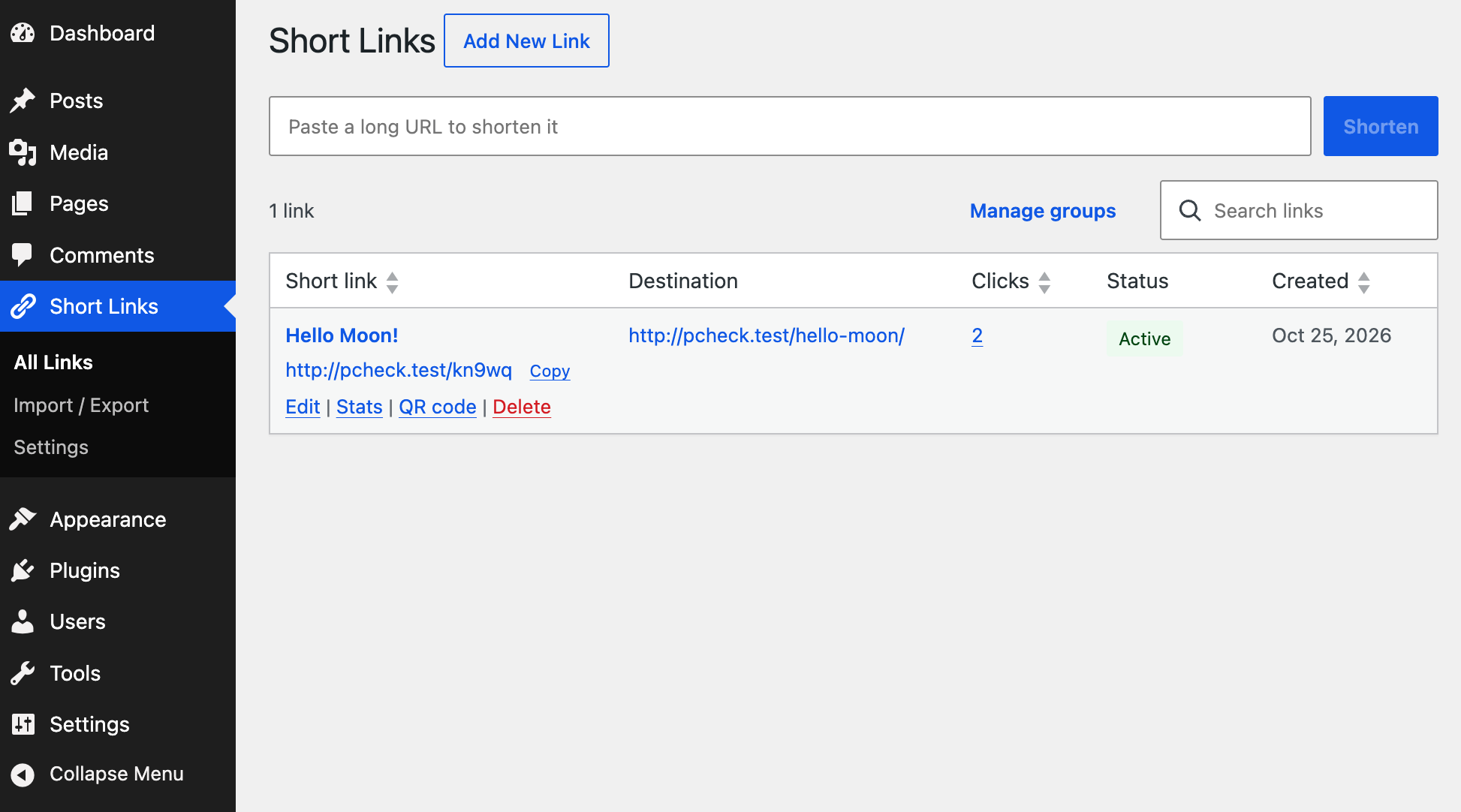
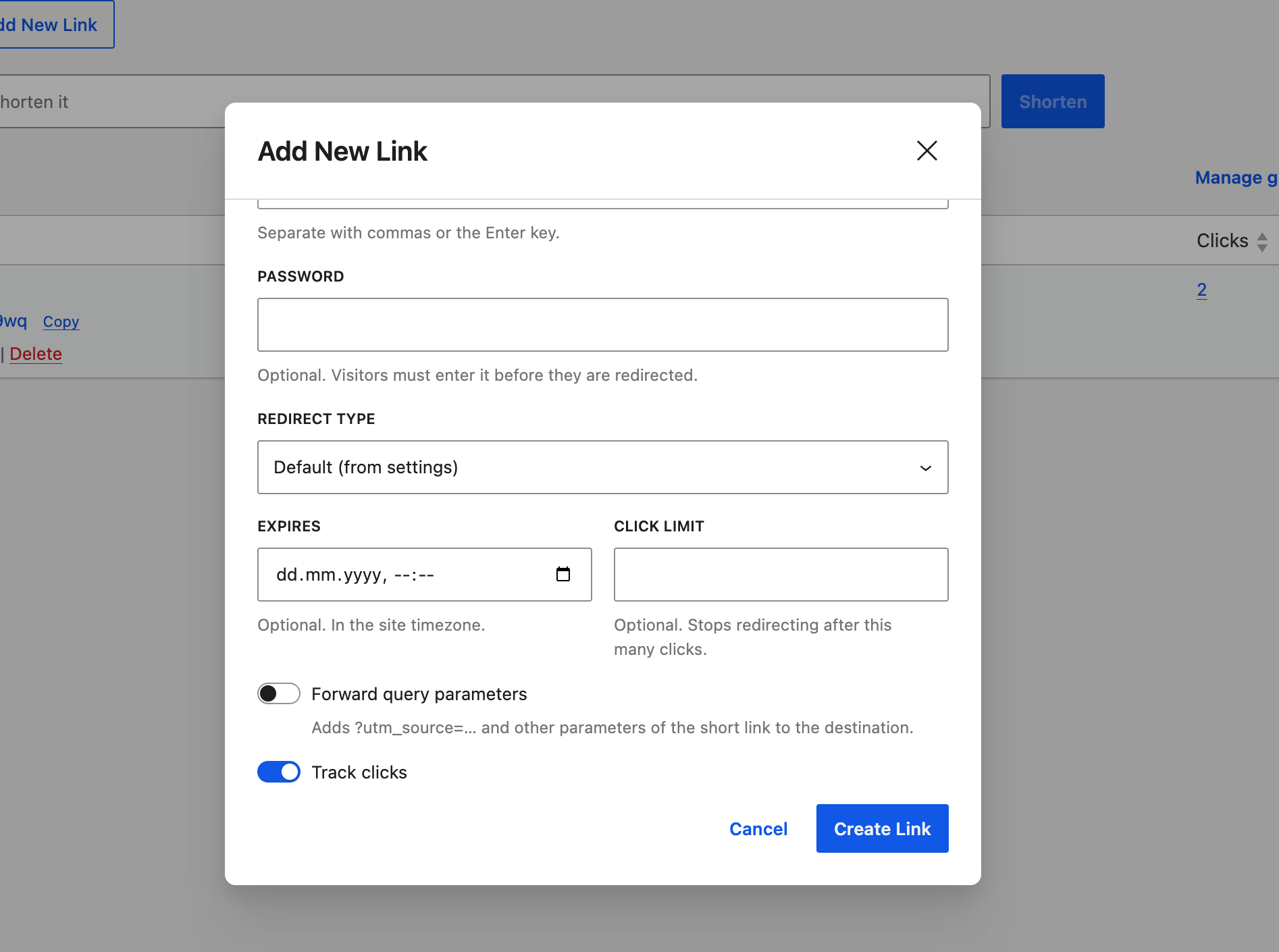
Want a memorable link instead? Click Add New Link and type your own slug, such as spring-sale. The field works like a browser address bar, so you see the full short link as you type. You can also give the link a title and put it in one or more groups to keep things organized.
Clicklet also checks your slug against existing pages, so a short link can’t accidentally hide a page on your site.
Step 3: Share it and watch the clicks
Share your link anywhere. Click Stats next to any link to see how it performs:
- Clicks and unique visitors over 7, 30, 90 or 365 days
- Referrers, countries, devices, browsers and operating systems
- How many clicks came from QR code scans
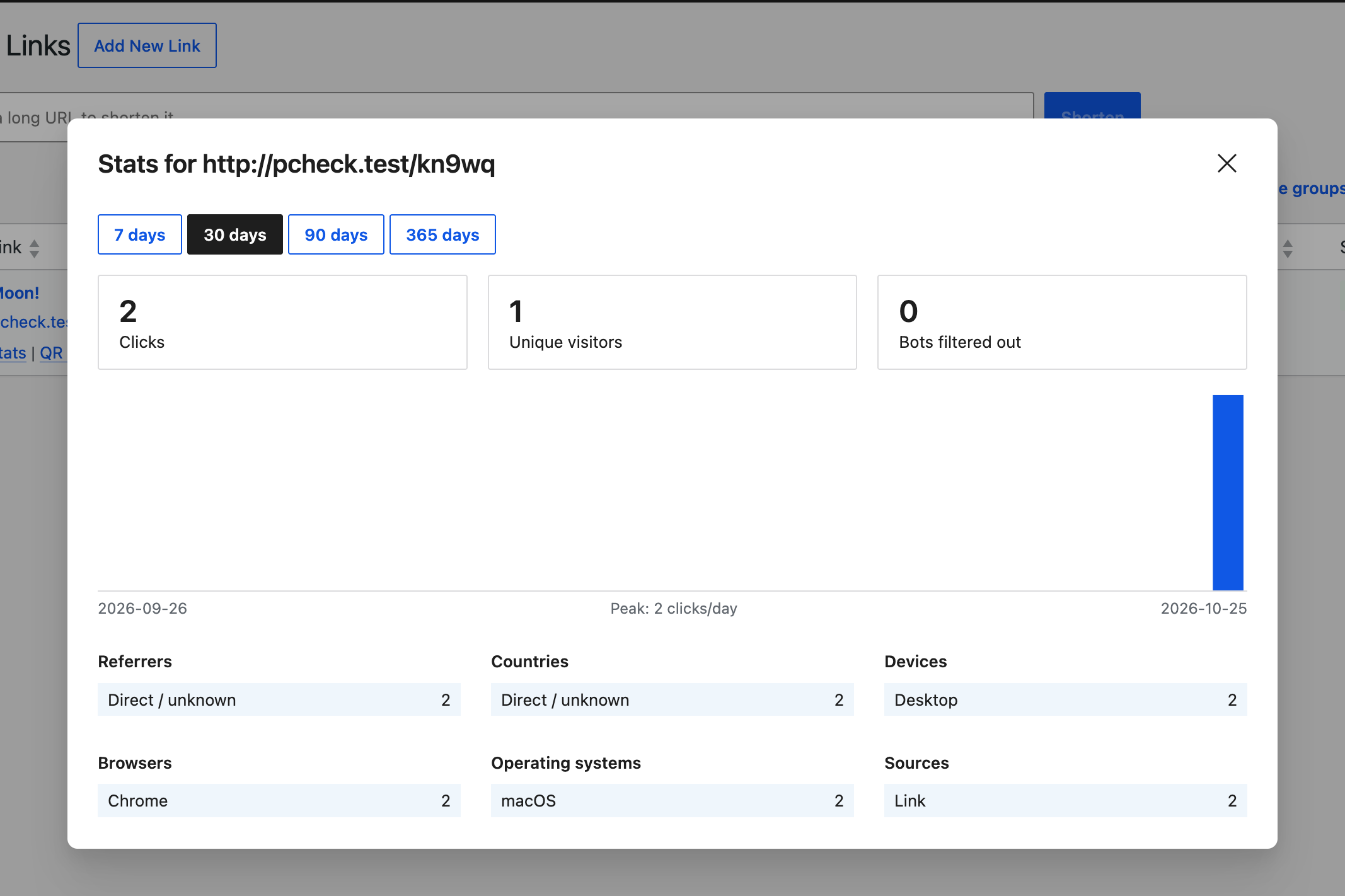
Bots, link previews (Slack, WhatsApp, Facebook and others) and browser prefetches are filtered out, so your numbers reflect real people. Your click history is kept for as long as you like. There’s no time limit.
Privacy-friendly click tracking
Clicklet counts visitors without storing raw IP addresses and without cookies. Each visitor is identified with an anonymous hash that changes every day, which is enough to count unique visitors and nothing more.
Country information comes from headers your CDN or host already adds, such as Cloudflare’s. The plugin never sends requests to external services.
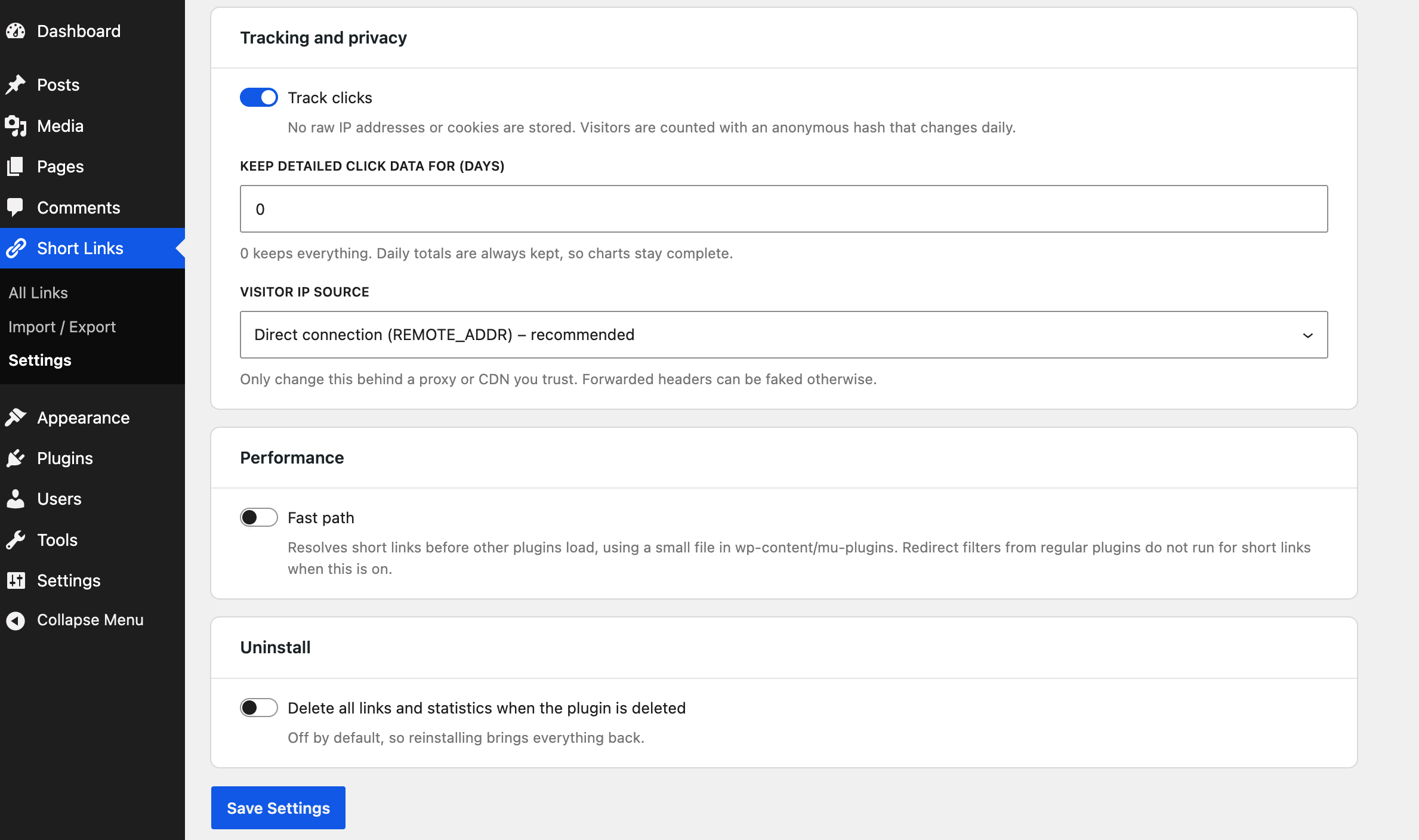
You can also decide how long detailed click data is kept. Daily totals are always kept, so your charts stay complete even if you delete the details.
Five ways to use short links on your site
1. QR codes for print. Every link has a QR code you can download as SVG or PNG. Put it on flyers, packaging or event badges. Scans are counted separately from regular clicks, so you can tell exactly how well your print material works.
2. Affiliate links. Turn long affiliate URLs into clean links like yoursite.com/recommends/hosting with an optional prefix such as /go/ or /recommends/. Choose the redirect type (301, 302, 307 or 308) that fits each link.
3. Campaign tracking. Turn on query string forwarding, and parameters like ?utm_source=newsletter on the short link are passed on to the destination. One short link can then serve every channel.
4. Private and time-limited links. Protect a link with a password, or let it expire on a date or after a set number of clicks. That’s handy for early access offers, downloads or limited promotions.
5. Short links for your posts. Clicklet can create a short link for every new post, page or custom post type automatically. It shows up in the block editor’s sidebar and replaces the default WordPress shortlink.
Already using another link plugin?
Switching is easy. Under Short Links → Import / Export, Clicklet can migrate your links from URL Shortify and Pretty Links in one click, including click history, groups and link passwords. Your slugs stay the same, so every link you’ve already shared keeps working.
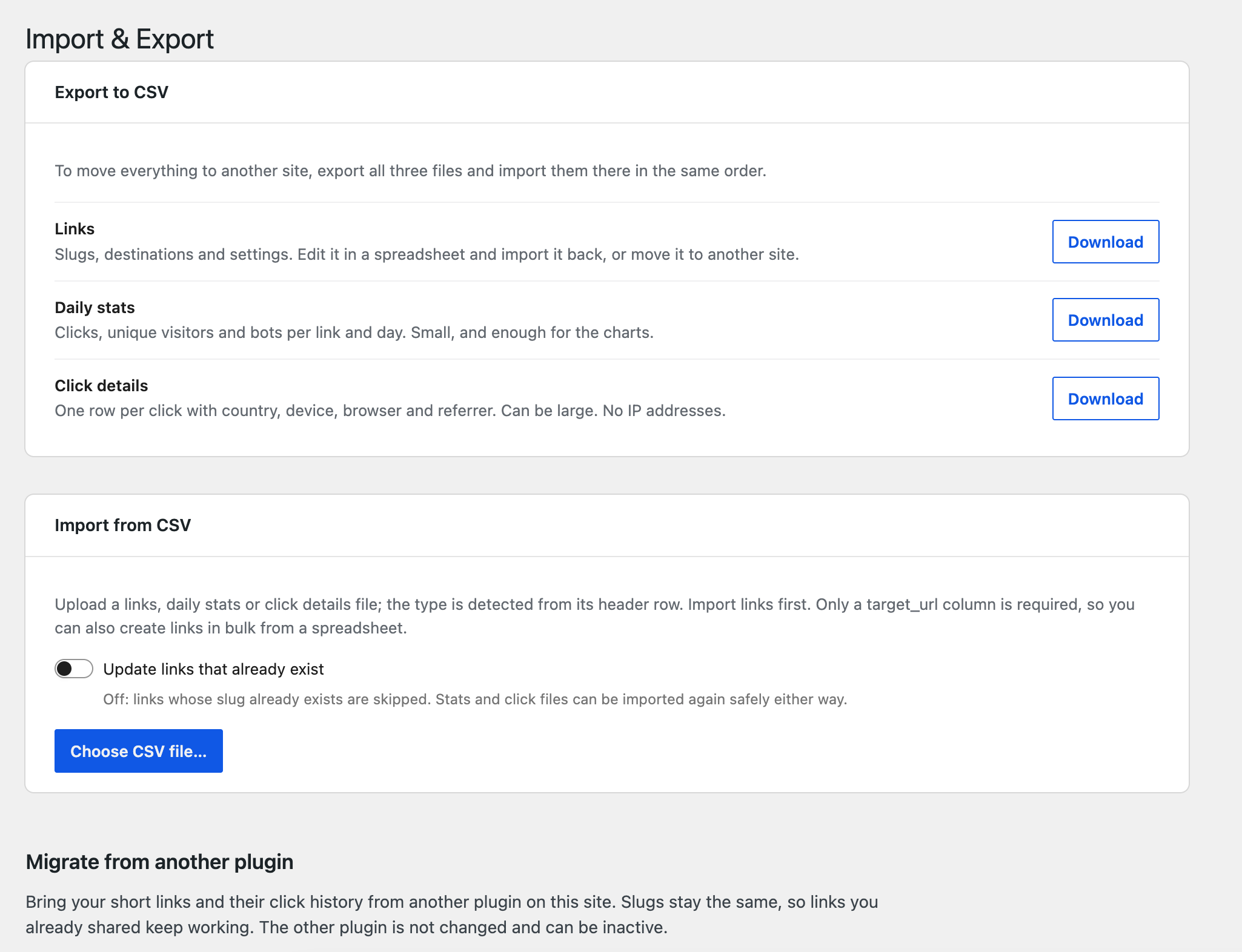
You can also export your links, daily statistics and click details as CSV files at any time. Use them to move everything to another site, or edit links in bulk in a spreadsheet.
Frequently asked questions
Is Clicklet URL Shortener free?
Yes. The plugin is free on WordPress.org, with unlimited links and unlimited click history.
Do I need a separate short domain?
No. Short links work on the domain your WordPress site already uses, for example yoursite.com/promo. If you prefer, you can add a prefix such as yoursite.com/go/promo.
Will short links slow down my site?
No. Requests that can’t be short links are filtered out without a database query, and clicks are recorded after the redirect has been sent. Clicklet also works with persistent object caches like Redis and Memcached.
Does it set cookies or store IP addresses?
No. Visitors are counted with an anonymous hash that changes daily. No cookies are set and no raw IP addresses are stored.
What happens to my links if I deactivate the plugin?
Your short links stop redirecting while the plugin is inactive, but your links and statistics are kept. Data is only deleted if you turn on the “delete data on uninstall” option and then delete the plugin.
Can developers work with it?
Yes. Clicklet comes with a REST API, WP-CLI commands and hooks for extending it. It also supports multisite.
Start creating branded short links
Your links are part of your brand, so they should live on your domain. Download Clicklet URL Shortener from WordPress.org, create your first short link in under a minute and see who clicks it, without giving your data away.
Have a question or a feature request? Let us know in the support forum.