SessionQuota Pro includes three enforcement modes. Each mode controls what happens when a user reaches the allowed number of active sessions.
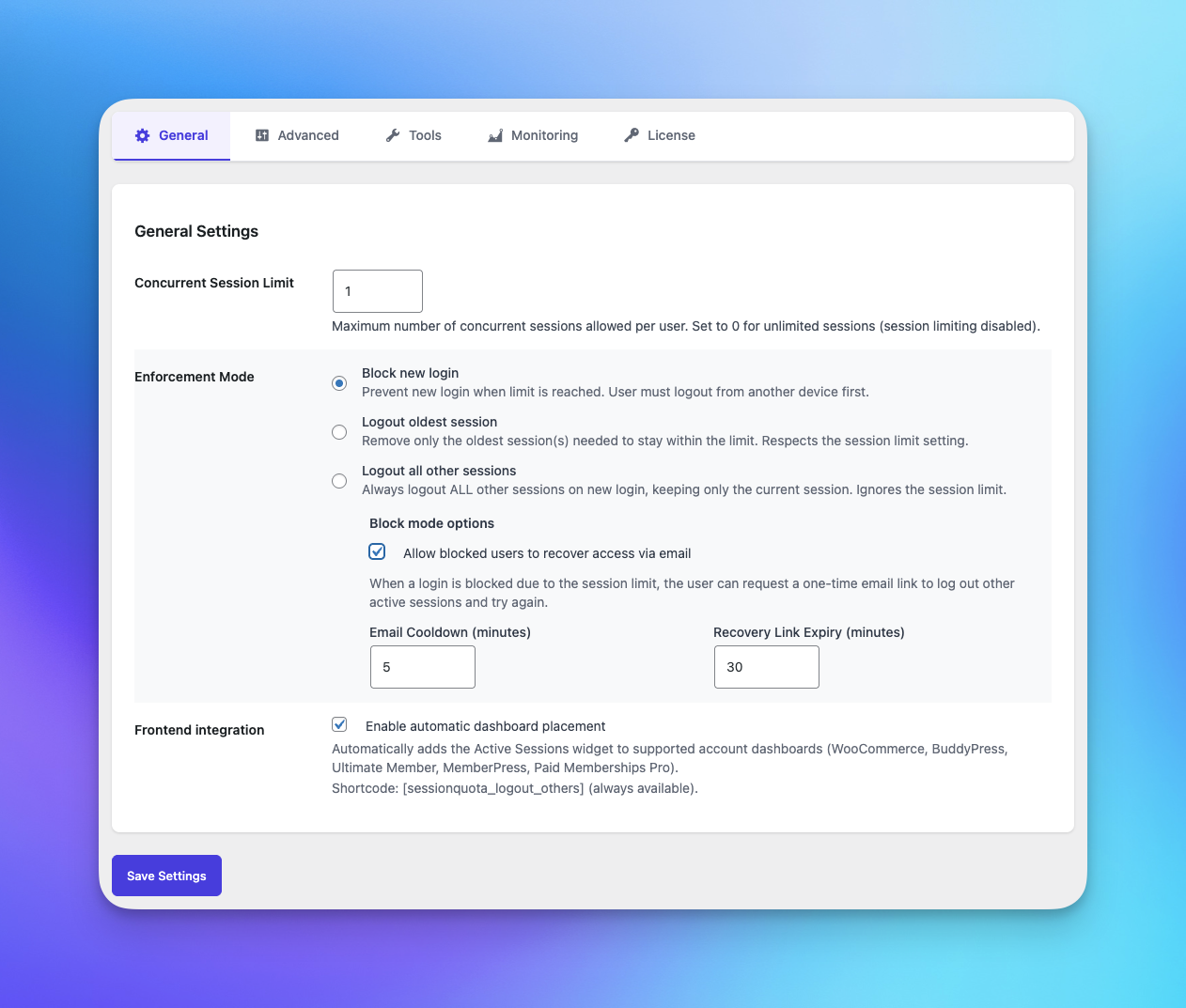
Block new login #
This mode prevents the new login from completing when the session limit has already been reached.
Best for #
- Membership sites that want to reduce account sharing
- Sites that need a visible login block instead of silent session replacement
- Teams that want users to consciously free up an existing session
What the user experiences #
- The new login attempt is blocked
- Existing sessions remain active
- You can optionally allow recovery by email so the user can log out other sessions
Good to know #
- This mode works best when the limit is greater than
0 - It is the clearest option for discouraging credential sharing
Logout oldest session(s) #
This mode allows the new login, then removes the oldest existing session or sessions needed to stay within the limit.
Best for #
- Sites that want a smoother user experience
- Membership sites where users switch devices often
- Teams that want automatic cleanup instead of manual intervention
What the user experiences #
- The new login succeeds
- The oldest active session is terminated automatically
Good to know #
- This mode respects the configured session limit
- It is usually the most balanced choice between convenience and control
Logout all other sessions #
This mode always keeps only the latest session active and logs out all other sessions after a successful login.
Best for #
- Sites that require one active device per account
- High-control environments
- Membership sites with a strict anti-sharing policy
What the user experiences #
- The new login succeeds
- All other active sessions are terminated
Good to know #
- This mode acts like strict single-session mode
- Advanced limit rules are not used in this mode
- The global session limit is effectively ignored because only one session is allowed
Which mode should you choose? #
Choose Block new login if:
- You want the strongest visible deterrent against account sharing
Choose Logout oldest session(s) if:
- You want less friction for legitimate users
Choose Logout all other sessions if:
- You want one session per account, every time