This guide helps you get the plugin working for the first time.
Before You Begin #
You need:
- A WordPress site with the plugin installed and activated.
- A Cloudflare account with Stream enabled.
- A Cloudflare Stream account ID.
- A Cloudflare API token that can manage Stream videos.
Where to Find the Plugin Settings #
Single-site #
Go to:
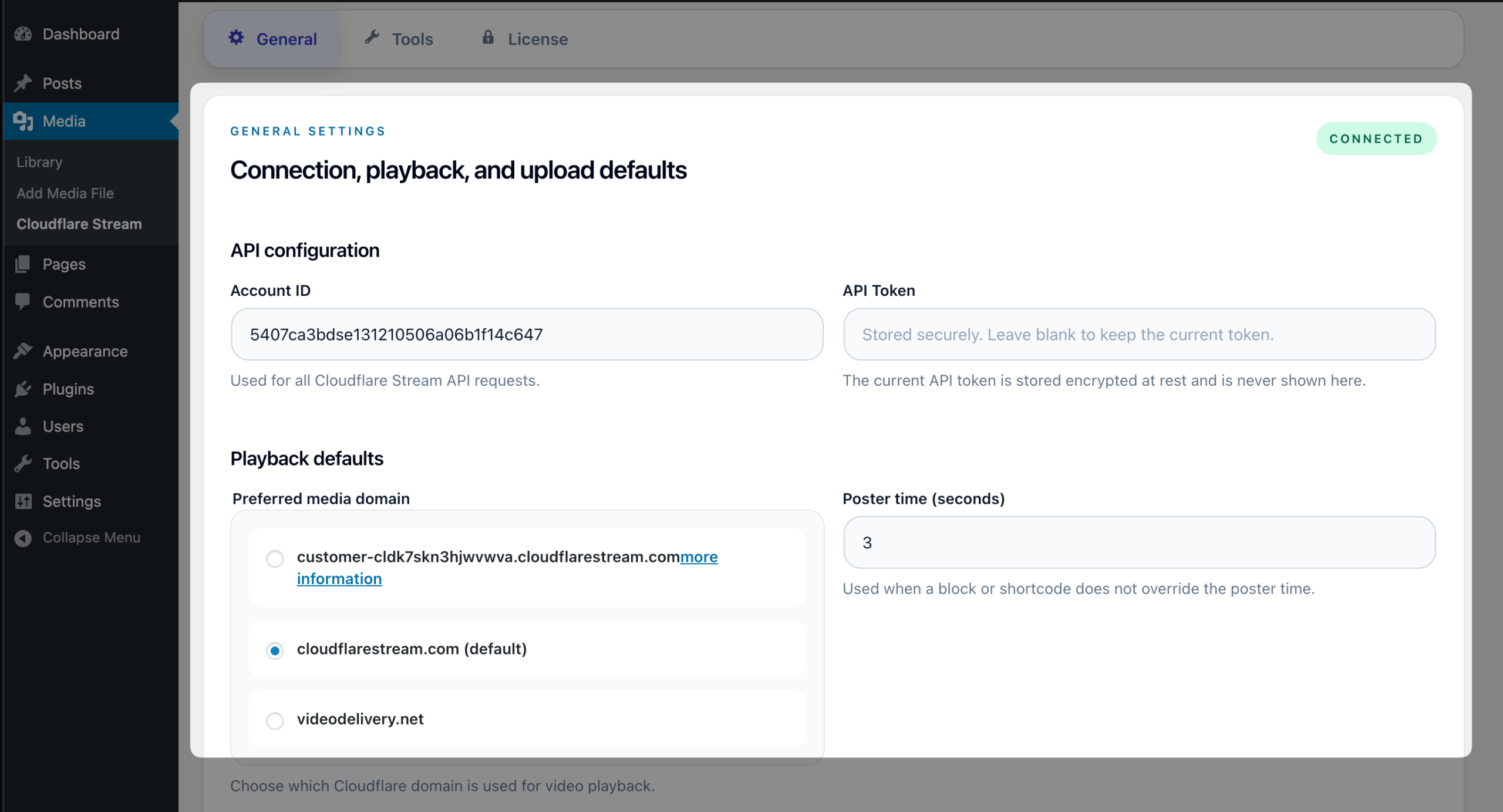
Media > Cloudflare Stream
Multisite, network-activated #
Go to:
Network Admin > Settings > Stream Integration Pro
In this mode, the network admin manages the shared Cloudflare connection and licensing. Editors and site admins still use the plugin inside each site’s Media Library.
First-Time Setup #
1. Enter your Cloudflare credentials #
In the General tab, enter:
- Account ID
- API Token
If these values are already defined in wp-config.php, the fields will be locked because the plugin treats them as config-managed.
2. Choose your preferred media domain #
The plugin lets you choose which Cloudflare domain is used for playback.
If you are unsure, keep the default.
3. Set your poster thumbnail default #
Poster time (seconds) controls which point in the video is used as the default thumbnail when no block-specific override is set.
4. Decide how local uploads should behave #
The main choices are:
- Automatically upload new WordPress videos to Stream.
- Keep the local file after Stream is ready.
- Delete the local file after Stream is ready.
If you want the safest setup, use:
Auto-import newly uploaded WordPress videosenabledKeep local files
Your First Test #
The easiest way to test the plugin is:
- Upload a video to the normal WordPress Media Library.
- Wait for the background job to upload it to Stream.
- Open the attachment details screen.
- Confirm that you see:
- a Stream UID
- a Stream status
- the correct storage state
Expected storage states:
Local onlybefore upload to StreamLocal + Streamafter a successful import while keeping the local fileStream onlyafter a successful import if local cleanup is enabled
Safe Defaults #
If you are not sure which setup to use, start with:
- Auto-import enabled
- Retention policy:
Keep local files - Signed playback URLs disabled
- Default poster time left near the beginning of the video
You can change this later without rebuilding the whole library.